Artwork Guide

Get your art print-ready

What files to send, how to prepare them, and what each imprint method needs, so your proof comes back right.

  • Vector art preferred
  • Raster at 300 dpi for full color
  • Proof sent before we print

Start here

Vector or raster?

Most imprint methods need vector art. Knowing which kind of file you have is the quickest way to avoid art charges and a second round of proofs.

Works for every imprint method

Vector art

Built from paths and points, so it scales to any size with perfectly sharp edges. It's made in programs like Adobe Illustrator, CorelDRAW or Inkscape.

.ai.epsvector .pdf.svg
Full color & dye sublimation only

Raster art

Built from pixels. It looks fine on screen but goes blurry or blocky when it's enlarged. Photos and scans are raster. It must be 300 dpi at the size it will print.

.jpg.png.tif.psd.gif.bmp
Vectorstays sharp
Low-res rasterturns blocky

At 100% they look the same. Drag the slider to enlarge them and watch the edges.

Open your file and zoom in to 400% or more. Edges that stay crisp mean vector (or a high-resolution image). Jagged squares or blur mean the art is too low-resolution to print well.

Renaming isn't converting

Saving a JPG or PNG as .ai, .eps or .pdf doesn't make it vector. The picture inside is still pixels.

Skip images from websites

Logos saved from a website are compressed for screens and won't print cleanly. Ask for the original file.

Upsizing adds no detail

Raising the dpi of a small image in an editor only stretches the pixels you already have, so it still prints blurry.

File types

Which file should I send?

Send the original file from whoever designed the logo whenever you can. These are the formats we can use.

Best: vector

Adobe Illustrator .aiVector PDF .pdfLayered EPS .epsSVG .svg

Scales to any size with no loss of quality. Needed for silk-screen, embroidery, woven, engraving, molded and die-struck products.

OK for full color

.jpg.png.gif.bmp.tifPhotoshop .psd

Accepted for full color and dye-sublimated products when the image is 300 dpi at print size.

We can't print from

Publisher .pubWord .doc .txtPowerPoint .pptExcel .xls .xmlLow-res web images

Office files are fine for sending us the wording you want, just not as artwork.

Before you send

Pre-flight checklist

Run through these before you upload. Tick them off as you go; nothing here is saved or sent.

0 of 6 ready

Color

PMS, CMYK and RGB

Screens and presses make color differently. Telling us exactly which color you want is the surest way to match your brand.

PMS (Pantone)

Pre-mixed inks made to an exact formula, so a PMS color looks the same order after order. Best for logos and brand colors.

Use for: silk-screen, woven thread, enamel fill

CMYK

Full-color printing that mixes cyan, magenta, yellow and black dots. Great for photos and gradients, but it can't guarantee an exact PMS match.

Use for: full color and dye sublimation

RGB

Light on a screen. RGB files look brighter on a monitor than any ink can print, so convert them to CMYK or name PMS colors before sending.

Use for: websites and screens only

Color critical? Give us the exact PMS numbers. You can look them up with Pantone's color finder.

Thread colors work a little differently: woven patches, lanyards and hats are matched to PMS, while embroidered patches and key tags use our embroidery thread chart. Every chart is in the Color Charts section of the Help Center.

By imprint method

What each imprint method needs

Each method turns your art into an imprint a different way, so each one needs something a little different. To see how each one works and what it looks like, visit Imprint Methods.

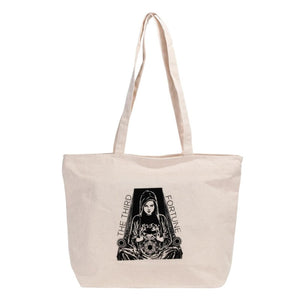
Eden Cotton Canvas Tote Bag (1 Color Imprint)

Silk-Screen

Vector art required

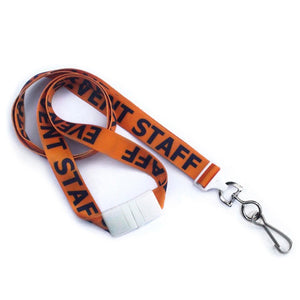
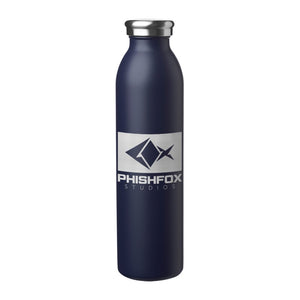
Used on: Most printed lanyards, drinkware, bags and totes, badge holders, coasters, sunglasses and pens

Ink is pushed through a mesh stencil, one screen per color, so name a PMS color for each.

Example: Eden Cotton Canvas Tote Bag (1 Color Imprint)
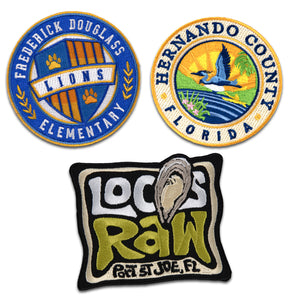
3" Embroidered Patch (100%)

Woven & Embroidered

Vector art required

Used on: Woven lanyards and patches, headwear, embroidered patches and key tags

Your logo is digitized into stitches. Woven pieces match thread to PMS; embroidered pieces use our thread chart.

Example: 3" Embroidered Patch (100%)
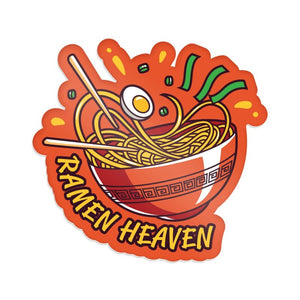
3" x 3" Die Cut Sticker

Full Color

Vector or 300 dpi raster

Used on: Buttons, stickers, calendars, tickets, door hangers, badge reels, plastic cards, candy, lip balm and candles

Photos and gradients print well. Colors are printed in CMYK, so an exact PMS match isn’t guaranteed.

Example: 3" x 3" Die Cut Sticker
1" Debossed Silicone Wristband

Mold Injected

Vector art required

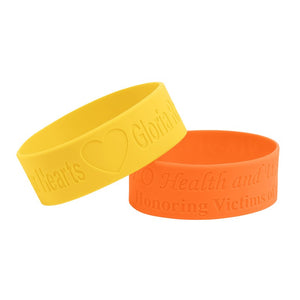
Used on: PVC patches, magnets and keychains; silicone wristbands

Your art is made into a mold. Very thin lines or tiny text may need to be made bolder; your proof will show it.

Example: 1" Debossed Silicone Wristband
1" Hard Enamel Pricebuster Lapel Pin

Die Struck

Vector art required

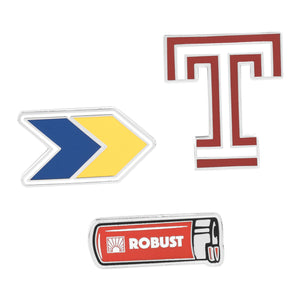
Used on: Soft enamel, hard enamel and die-struck lapel pins, challenge coins and dog tags

Metal is stamped from your art and enamel colors are matched to PMS. The product page lists how many colors are included.

Example: 1" Hard Enamel Pricebuster Lapel Pin

Not sure which method?

Every product page lists its imprint method and imprint area under Imprint Details.

Still not sure? Send the art you have and we'll let you know if we need anything else.

Artwork FAQs

Templates

Start from a product template

Many product pages have a Template button. It downloads a PDF layout of that product's imprint area, so you can place your art at the right size before you send it.

No template for your item? The Imprint Area is listed on every product page under Imprint Details.

Look for these on the product page

Want to see it on the product first? Use Virtual Proof on any product page and we'll show you your logo on the item.

Send your art

How to send us your artwork

  1. Upload it

    Use the Submit Artwork page. Files up to 15 MB, including .zip. For an order, add your order or PO number.

  2. Bigger than 15 MB?

    Use our Orders artwork dropbox for production orders, or the Sales WorkDrive dropbox for quotes and mockups.

  3. Approve your proof

    We check your art and send a proof before anything prints. Production starts once you approve it.

Art Correction Fees: If your artwork requires adjustments to make it print-ready, additional charges of $40 per half hour may apply. We will notify you of any applicable charges before proceeding with the revisions.

Ready to send your art?

Questions first? Check the Artwork FAQs or email sales@idproductsource.com.